Posted on
April 9th, 2024
by Quertime Writer in Web Browsers
It’s a matter of fact that presently, a big part of our life runs around the browser, prominently chrome. We use Google Drive, Gmail and a handful of so many other services straight from Chrome OS or Chrome.
As I said above, Google Chrome has a plenty of apps that you can use undeviatingly from the browser, but sadly, most of them need an internet connection. So we’ve explored the web to find the best Chrome apps that work offline, so you don’t have to bother about being connected to the internet to use them. Read more…
Posted on
December 8th, 2017
by Quertime Writer in Web Browsers
Google Chrome is currently the most-used browser in the world, helping more than 70% of the users to search the web; leaving Apple safari, Microsoft Edge, and Internet Explorer behind. Started out as user novelty, Chrome has become an institutional product. There is bounty of stock embedded throughout Chrome’s guts that you may not even know; that are there to make your browsing experience much more satisfying and reliable.
Posted on
October 25th, 2017
by Quertime Team in Web Browsers
Have you ever developed a website template in Photoshop and looking for an easy way to show the screenshot of your design work? Well sometimes you may find that a screenshot just won’t do, and you possibly need to create a web browser frame of your work. And the good news is that you don’t have to waste your time creating web browser frame yourself since there are tons of ready-made web browser mockups and frame PSD templates available on the web.
Today we would like to showcase our cool selection of top 30 free and top-quality web browser mockups and frame templates for your selection. All of these templates are layered PSD files and more importantly all the principle elements are editable which means you can change color, modify text and shadows to suit your own style. Read more…
Updated on
July 2nd, 2018
by Quertime Writer in Web Browsers
Majority of the world works on advertising and making money out of it. Whether it is TV shows, newspapers or online media. Whenever you access something for free, it is because of the advertising. Even if we take the example of Google, they have one of the biggest network of advertising.
But nobody likes these ads as they are directed towards a user depending upon your browsing habits making the web a place which is no more equal. They steal information from you without your knowledge and then use it to show targeted advertisements. Read more…
Posted on
December 7th, 2016
by Quertime Writer in Web Browsers
The world where we live nowadays is connected. As a result, every individual in today’s world who uses a computer or a mobile device will instantly know what the people around the world are doing. Information that when processed by every individual will collectively show the path for evolution which brings different behavior in society and ultimately changes the way that people live. This can be useful if we use it at the correct time. Some information cannot be useful after a period of time. Some information that isn’t useful at times is the browser history on your computer.
Browser history is a report that will tell where you have been on the World Wide Web. It can be used to help you to go back to a place you would need to gain access to again. But, as information, it can be stored and gathered, and of course, will take storage from your devices. Read more…
Updated on
April 8th, 2024
by Quertime Writer in Web Browsers
Amongst the war of the internet browsers, the only survivor that has come a long way and is the undisputed king of web browsing is none other than the baby of Google, called Google Chrome. Chrome started to represent its case as the most efficient internet browsing software somewhere around 2009-2010 where Internet Explorer along with the likes of Mozilla was still going strong. Eventually Mozilla Firefox created its own niche market and the rising superstar then kicked out Internet Explorer for good.
Now the maximum value that the Internet Explorer has in an average computer user’s life is its icon present on the desktop by default. This is the irony, but also a reality which clearly shows the importance of keeping up with the changing trends in technology and giving into the demands of the consumers and there is no one other than Google who could be better at this when it comes to technology. Therefore, all the talk of the town when it comes to internet browsing only belongs to Google and Google Chrome. Read more…
Posted on
July 3rd, 2015
by Quertime Writer in Web Browsers
When we talk about the Internet technology, we must not forget to mention the kinds of crucial disadvantages that are present with its use. Even though the numbers of advantages like, instant connectivity, where users can connect with each other and globally on the go, round the clock are unforgettable. The Internet technology sometimes can become a big hassle in your everyday routine. This does not mean that we aim to not rationalize how important the Internet is in today’s day and age, but we are trying to offer a different perspective to it. Just like any other technology in the world, which comes with its pros and cons, the Internet world is no different. When a user is online, he might be enjoying some of the undeniable opportunities and possibilities, but he is also putting himself at a lot of risks on different levels and points.
Just for the brief discussion, let’s focus on those risks and points that an average Internet user can put himself at while sitting online. The number one risk is access to illegal or banned content. Since the Internet is largely used unsupervised, one can have access to almost everything, this is why it is so important for parents to understand this phenomenon and impose parental controls when their children are using the Internet. Read more…
Updated on
July 2nd, 2018
by Quertime Writer in Web Browsers
You want to surf through the net but do not want to leave any traces behind regarding what you searched for? Then here are some tips which you can follow:
Updated on
July 2nd, 2018
by Quertime Writer in Web Browsers
You may not have given much thought to your Chrome browser‘s new tab page. It’s just where you type in the URL to the next page you want to go, right? Wrong. With these 30 (yes, 30!) Chrome extensions, you’ll have a chance to personalize your new tab page to fit your needs exactly.
The extensions fell into two categories: those that primarily served to help you be productive, stay on task, or find information more easily, and those that serve as a make-over to brighten your day and make your Chrome experience a little more beautiful. However, just because an extension’s main use is improving your productivity, it doesn’t mean it isn’t nice to look at! Many of the productivity extensions also feature attractive designs and/or great art and photography. Read more…
Updated on
July 2nd, 2018
by Quertime Team in Web Browsers
In the previous post, we’ve introduced 45 useful Chrome extensions for Facebook users. Since then we’ve received a huge number of feedbacks from our readers asking us to recommend Facebook related addons for Firefox browser. Considering that Mozilla Firefox is the second most popular browser today, we think there’s a need to satisfy Facebook users who are using Firefox as their default web browser.
Without further ado, here’s a list of must-try Firefox addons which will greatly enhance your Facebook experience!Read more…
Updated on
July 2nd, 2018
by Quertime Team in Web Browsers
Due to the popularity of Facebook and Twitter, many social media related add-ons and extensions have been developed for web browsers like Firefox and Google Chrome. Just like your mobile apps, these thirty party tools allow you to update and track your Facebook right from your web browser without having to access to the Facebook homepage. If somebody posts on your wall or “Like” your status update, you’ll know right away and make a quick response to them.
So, for those of you who spent hours on Facebook, following are some of the best Google Chrome extensions you’ll absolutely love them. Enjoy! Read more…
Updated on
July 2nd, 2018
by Quertime Team in Web Browsers
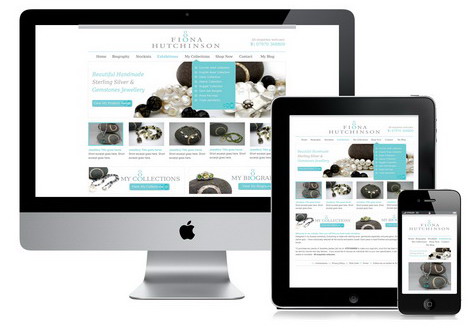
Unlike the standard computers we used in the good old days, now we have many types of devices such as laptops, tablets, netbooks, and smartphones which can be used to access Internet. Each device will have its own screen size, resolution and this makes the web design process more difficult than before. Web developers and designers have to make sure their websites or online applications compatible with most of the possible screen resolutions.
It’s unlikely to test designs in all of the Internet-capable devices, but what developers can do is to resize the browser dimension as per the screen size of a particular device. To make the job easier, here we’ve gathered some excellent online tools, Firefox addons and Google Chrome extensions that enable users to test websites and web application in different screen sizes and resolutions. We hope you’ll find these tools useful. Read more…
Updated on
July 2nd, 2018
by Quertime Team in Web Browsers
Bored of seeing the same blue and white Facebook homepage every time you login? Well, it’s time to change the Facebook login page with your own custom design! Yes, you heard it right! You are allowed to change and customize the background of your Facebook login page. Does it sound unbelievable? Today we would like to introduce you a cool Google Chrome extension that allows you to set a custom image URL as your Facebook login page’s wallpaper. Be it a picture of your loved one or beautiful landscape photography, you can have any background customization you want.
Without further ado, let’s follow the simple tutorial below to set your favorite image or photo as your Facebook login page’s background!Read more…
Updated on
July 2nd, 2018
by Quertime Team in Web Browsers
Security and privacy have become our major concerns when choosing a web browser to use. Nobody wants to be tracked when surfing the net, expose to annoying adverts and banners or even become a victim as a result of being hacked. With Mozilla Firefox, many security and privacy addons can be used to keep browsing safe on the Internet and protect your computer from being infected by virus and malware. Here are some of the top Firefox security and privacy addons that you should install for safer browsing.
Updated on
April 8th, 2024
by Quertime Team in Web Browsers
Two of the most powerful and widely used web browsers are Google Chrome and Mozilla Firefox, but which one do you think is more suitable to web developers and designers? We all know that one of the reasons that made Firefox so successful is the Firefox add-ons. What about Chrome? Other than simplicity and speed, Chrome also provides extensions which have similar function to Firefox addons.
In today’s post, we would like to show you more than 50 Chrome extensions which are extremely helpful for web designers, developers and bloggers. They are all selected based on our in-depth research on their usefulness and popularity. So, give them a try now to boost up your productivity and enhance your work’s competency. Read more…